
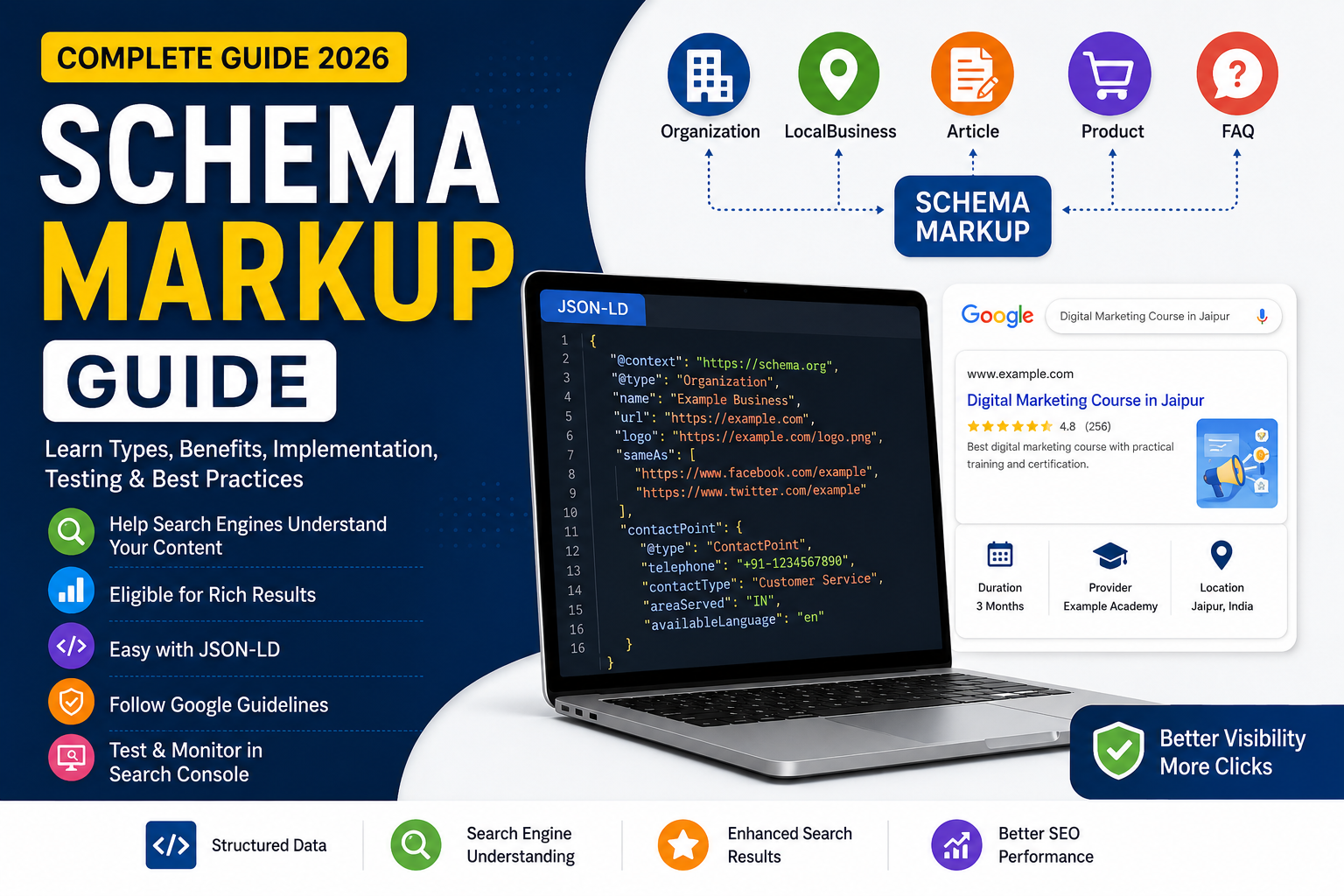
Introduction
Schema Markup Guide explains how structured data helps search engines understand the content and purpose of your web pages.
Schema markup can provide additional information about your business, articles, products, courses, services, and other types of content.
When implemented correctly, structured data can make eligible pages available for certain enhanced search appearances. However, adding schema does not guarantee higher rankings or rich results.
In this guide, you’ll learn what schema markup is, why it matters, common schema types, how to add it, how to test it, and the mistakes you should avoid.
Quick Schema Markup Checklist
Before adding schema to your website:
✅ Identify the actual page type
✅ Choose relevant structured data
✅ Use accurate information
✅ Use JSON-LD where appropriate
✅ Match schema with visible content
✅ Include applicable properties
✅ Follow Google’s guidelines
✅ Test your markup
✅ Monitor Search Console
✅ Update schema when content changes
What Is Schema Markup?
Schema markup is structured data that provides search engines with additional information about a webpage.
For example, a page may contain information about:
- A business
- A person
- An article
- A product
- A course
- A service
- An event
- A local business
Structured data gives search engines a machine-readable way to understand what that information represents. Google explains that structured data can help it understand page content and may make eligible pages available for rich-result features
Schema markup is an important part of Technical SEO, helping search engines better understand the structure and meaning of your content.
Schema Markup vs Structured Data
These terms are closely related but aren’t exactly the same.
Structured data is a general method of providing information in a machine-readable format.
Schema.org provides a standardized vocabulary for describing entities, properties, and relationships.
Schema markup commonly refers to implementing Schema.org vocabulary on a webpage.
Schema.org supports formats including JSON-LD, Microdata, and RDFa.
Why Is Schema Markup Important for SEO?
Schema markup can help search engines understand your content more clearly.
Potential benefits include:
- Better understanding of page content
- Clearer information about entities
- Eligibility for supported rich results
- More informative search appearances
- Better machine-readable content
- Improved communication between your website and search engines
However, schema should be considered a supporting part of SEO, not a shortcut to higher rankings.
Google specifically states that valid structured data doesn’t guarantee that a rich result will appear.
Schema markup should be considered a supporting part of SEO alongside On-Page SEO, technical optimization, content quality, and search intent.
Common Schema Markup Types
You should not add every schema type to your website.
Choose structured data that accurately represents the content on the page.
1. Organization Schema
Organization structured data describes an organization or company.
It can include information such as:
- Business name
- Logo
- Website
- Contact information
- Other relevant organization details
This can be useful for company websites.
2. LocalBusiness Schema
LocalBusiness structured data can describe a local business and information associated with its location.
Depending on the business, this may include:
- Business name
- Address
- Phone number
- Opening hours
- Website
- Location
For a local business targeting customers in Jaipur, accurate business information is particularly important.
3. Article Schema
Article structured data can help Google understand blog articles and other article content.
It can communicate information such as:
- Article headline
- Author
- Publication date
- Modified date
- Images
Google states that Article structured data can help it better understand article pages and potentially show improved title, image, and date information in Search.
This is particularly relevant for your SEO blog posts.
4. Breadcrumb Schema
Breadcrumb structured data describes where a page sits within your website structure.
For example:
Home → SEO → Technical SEO → Schema Markup Guide
Breadcrumbs help communicate the relationship between different levels of your website.
Google currently supports Breadcrumb structured data as a Search feature.
5. Product Schema
Product structured data is designed for product pages.
It can describe information such as:
- Product name
- Image
- Brand
- Price
- Availability
- Reviews
For ecommerce websites, Product structured data can support richer search appearances when the page and markup meet Google’s requirements.
6. Course Schema
Course-related structured data can be relevant to educational websites that publish information about courses.
For example, a course page could contain:
- Course name
- Course description
- Provider
- Course information
Only use structured data that accurately represents the page.
7. Service Schema
Service is a Schema.org type that can describe a service offered by a business.
Examples include:
- SEO services
- Website development
- Digital marketing
- Web design
- Graphic design
The important thing is to ensure the markup accurately represents the service described on the page.
8. FAQ Schema
FAQ content can still be useful for users and can make your page easier to understand.
However, there is an important distinction:
Having FAQ content does not mean you will receive FAQ rich results.
Google significantly restricted FAQ rich-result visibility, with regular FAQ rich results primarily limited to well-known authoritative government and health websites.
Therefore, for a normal business or educational website, create FAQs primarily because they help users—not simply because you expect a Google FAQ rich result.
How Does Schema Markup Work?
The basic process looks like this:
Website Content → Structured Data → Search Engine Understanding → Potential Search Appearance
For example, imagine you have a course page.
The page contains:
Digital Marketing Course
You can use relevant structured data to communicate information about that course in a machine-readable format.
Google can then use the structured data along with the page itself to better understand the content.
If the page meets Google’s requirements for a supported search feature, it may become eligible for an enhanced appearance.
Eligibility does not guarantee appearance.
JSON-LD vs Microdata vs RDFa
Google supports three major structured-data formats:
| Format | Description |
|---|---|
| JSON-LD | Structured data placed in a script |
| Microdata | Structured information added to HTML elements |
| RDFa | Structured attributes added to HTML |
For most modern websites, JSON-LD is the easiest format to maintain.
Google recommends JSON-LD in general because it is easier to implement and maintain at scale.
How to Add Schema Markup
Step 1: Identify the Page Type
First determine what your page actually represents.
For example:
- Homepage → Organization
- Local business page → LocalBusiness
- Blog article → Article
- Product page → Product
- Course page → Course
- Navigation → BreadcrumbList
Don’t choose schema simply because you want to target a particular keyword.
Step 2: Select Relevant Schema
Choose the structured-data type that accurately describes the page.
For example, don’t add Product schema to a blog post simply because the article mentions a product.
Accuracy is more important than quantity.
Step 3: Add Accurate Information
Your structured data should represent information that is actually associated with the page.
Avoid adding:
- Fake reviews
- Fake ratings
- Incorrect prices
- False business information
- Information unrelated to the page
Google’s guidelines require structured data to accurately represent the page content.
Step 4: Implement JSON-LD
A basic Organization example looks like this:
<script type=”application/ld+json”>
{
“@context”: “https://schema.org”,
“@type”: “Organization”,
“name”: “Example Business”,
“url”: “https://example.com”
}
</script>
The actual properties should be selected based on the organization and the information available on your website.
Schema Markup for Blog Posts
For a blog website, relevant structured data can include:
Article
Describes the article itself.
Breadcrumb List
Describes the page’s position within your website hierarchy.
Organization
Identifies the organization behind the website when appropriate.
Person / Profile Page
Can be useful when your website has clearly defined author or profile pages.
For your SEO blog cluster, Article + Breadcrumb List + appropriate organization information is a sensible foundation.
These structured-data elements should work alongside a strong SEO content strategy and proper internal linking.
Schema Markup for Local Businesses
If you’re running a local business, appropriate Local Business structured data can communicate information such as:
- Business name
- Address
- Phone number
- Website
- Opening hours
- Location
However, schema is only one part of a local SEO strategy.
You should also maintain:
- Accurate business information
- Google Business Profile
- Local citations
- Reviews
- Local content
- Strong internal linking
Schema Markup and Technical SEO
Schema markup works alongside Technical SEO.
Your website should still be:
- Crawlable
- Indexable
- Mobile-friendly
- Secure
- Fast
- Properly structured
You can learn more in our Technical SEO Guide
Schema cannot fix a website with major crawling, indexing, speed, or usability problems.
Schema Markup and On-Page SEO
Schema also doesn’t replace On-Page SEO.
You still need:
- Optimized titles
- Useful content
- Proper headings
- Search intent
- Internal links
- Descriptive URLs
- Optimized images
Read our On-Page SEO Guide for a detailed explanation.
Schema Markup and Rich Results
One of the biggest reasons website owners implement structured data is the possibility of enhanced search appearances.
Google currently supports a range of structured-data search features, including:
- Article
- Breadcrumb
- Product
- Recipe
- Review-related features
- Video
- Other supported feature types
Google’s supported structured-data gallery is updated over time, so it is better to check the current documentation before implementing a particular feature
How to Test Schema Markup
Don’t assume your schema is working just because you’ve added the code.
Use Google’s Rich Results Test to check whether your structured data can qualify for supported rich-result features.
Google recommends testing structured data during development and monitoring it after deployment.
Basic testing process:
- Add the structured data.
- Run the URL through the Rich Results Test.
- Fix critical errors.
- Review warnings.
- Publish the page.
- Use Search Console to monitor the page.
- Check again after major website changes.
How to Test Schema Markup
Don’t assume your schema is working just because you’ve added the code.
Use Google’s Rich Results Test to check whether your structured data can qualify for supported rich-result features.
Google recommends testing structured data during development and monitoring it after deployment.
Basic testing process:
- Add the structured data.
- Run the URL through the Rich Results Test.
- Fix critical errors.
- Review warnings.
- Publish the page.
- Use Search Console to monitor the page.
- Check again after major website changes.
Schema Markup vs SEO
| Schema Markup | Traditional SEO |
|---|---|
| Helps search engines understand content | Improves overall search visibility |
| Uses structured information | Uses content, links and technical optimization |
| Can support rich-result eligibility | Supports organic rankings |
| Provides machine-readable context | Focuses on users and search engines |
| Works alongside SEO | Provides the broader strategy |
Schema markup is therefore one part of SEO, not a replacement for SEO.
Schema Markup Checklist
Before publishing, check:
✅ Correct schema type
✅ Accurate information
✅ Relevant properties
✅ Visible content matches markup
✅ JSON-LD implemented correctly
✅ Required properties included where applicable
✅ No misleading information
✅ Rich Results Test completed
✅ Search Console monitored
✅ Schema updated when content changes
Conclusion
Schema Markup Guide is an important resource for understanding how structured data can help search engines better understand your website.
Schema markup can support eligible rich-result appearances, but it does not guarantee rankings or enhanced search results. The best approach is to use accurate, relevant structured data alongside strong content and technical SEO.
A simple strategy is:
Helpful Content + Strong SEO + Relevant Schema + Testing + Continuous Improvement
Don’t add schema just because you can.
Add it when it genuinely helps describe the content and entities on your page.
Frequently Asked Questions
1. What is schema markup?
Schema markup is structured data added to a webpage to help search engines understand the content and entities represented on that page.
2. Does schema markup improve Google rankings?
Schema markup does not guarantee higher rankings. Its main purpose is to help search engines understand your content and, where supported, make pages eligible for enhanced search appearances.
3. Which schema is best for a website?
There is no single best schema. The correct type depends on the actual content of the page. Common examples include Article, Organization, LocalBusiness, Product, Course, and BreadcrumbList.
4. Is JSON-LD better than Microdata?
Google supports JSON-LD, Microdata, and RDFa. JSON-LD is generally recommended because it is easier to implement and maintain.
5. How do I test schema markup?
You can use Google’s Rich Results Test to check structured data eligibility for supported Google rich-result features.
6. Does every page need schema markup?
No. Add structured data when it accurately represents the page and is relevant to the content.
7. Can I use multiple schema types on one page?
Yes, when the different types accurately describe the page and its entities. Avoid adding unrelated markup.
8. Does schema guarantee a rich result?
No. Valid structured data can make a page eligible for supported rich-result features, but Google decides whether and how the result is displayed.