
Introduction
SEO Audit Checklist is an essential resource for anyone who wants to improve their website’s search engine rankings and overall performance. If you’re new to SEO, we recommend reading our What is SEO? guide first to understand the fundamentals before performing an audit. Even the best websites can lose traffic because of broken links, slow loading pages, duplicate content, poor keyword optimization, or technical SEO issues.
A regular SEO audit helps you identify these problems before they affect your rankings. It gives you a clear picture of your website’s health and highlights the improvements needed to achieve better visibility on Google.
Whether you’re managing a business website, an eCommerce store, or a blog, following a structured SEO audit can help increase organic traffic, improve user experience, and maintain strong search engine performance.
In this guide, you’ll learn a complete step-by-step SEO audit checklist that you can use to evaluate and improve any website.
Quick SEO Audit Checklist
✅ Check website indexing
✅ Verify XML sitemap
✅ Review robots.txt
✅ Test page speed
✅ Check Core Web Vitals
✅ Optimize meta titles & descriptions
✅ Review heading structure
✅ Check internal linking
✅ Fix broken links
✅ Find duplicate content
✅ Optimize images
✅ Test mobile responsiveness
✅ Check HTTPS security
✅ Review backlinks
✅ Monitor Google Search Console
What is an SEO Audit?
An SEO audit is the process of analyzing every aspect of a website to identify issues that may affect its search engine rankings.
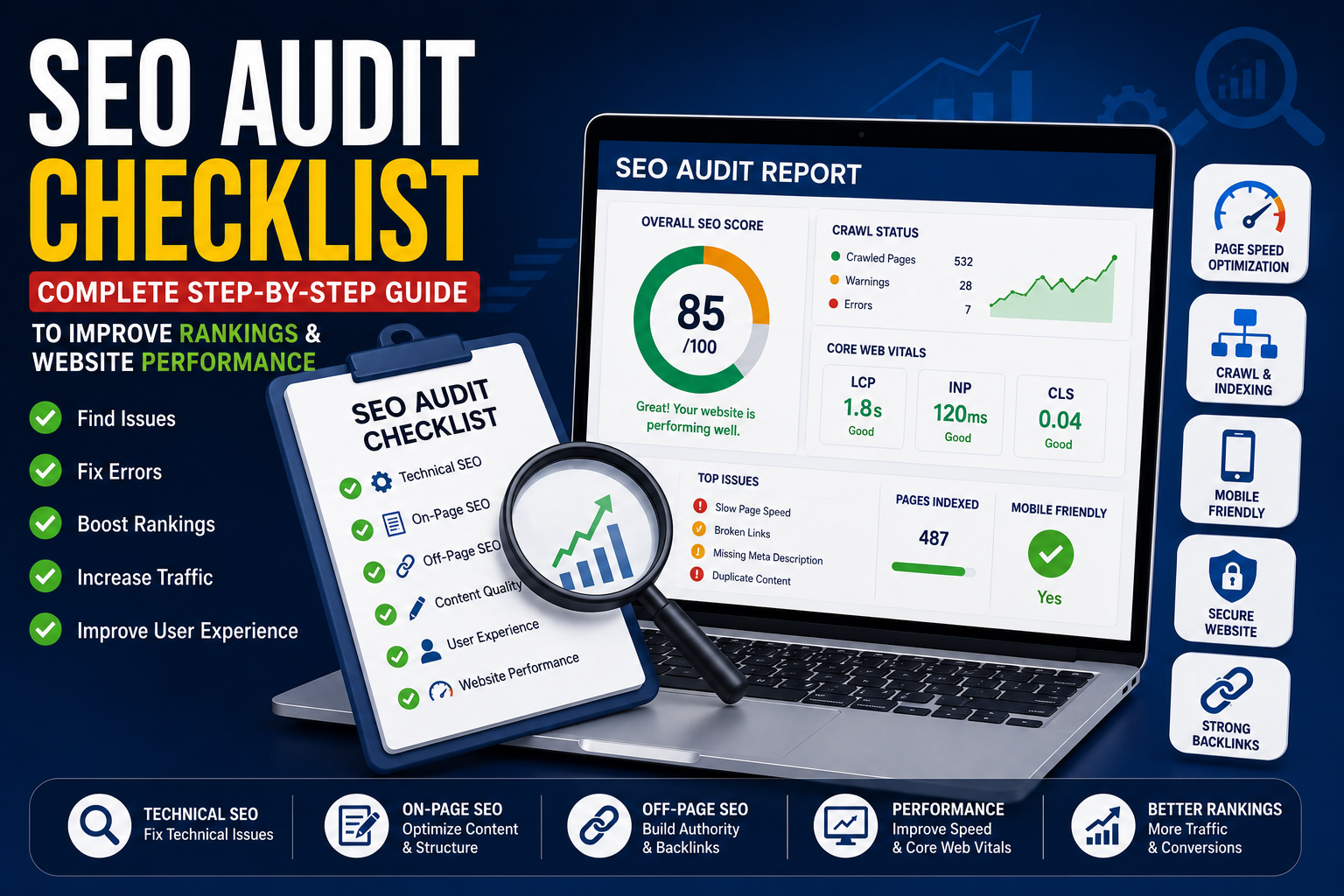
A complete audit includes:
- Technical SEO
- On-Page SEO
- Off-Page SEO
- Content Quality
- User Experience
- Website Performance
Think of an SEO audit as a regular health check-up for your website. It helps you detect problems early and improve your chances of ranking higher in search results.
Why is an SEO Audit Important?
Regular audits help you:
- Improve Google rankings
- Increase organic traffic
- Fix crawl errors
- Improve website speed
- Enhance user experience
- Discover technical issues
- Improve conversions
- Stay ahead of competitors
Complete SEO Audit Checklist
1. Check Website Indexing
Confirm that your important pages are indexed by Google.
Review:
- Indexed pages
- Excluded pages
- Noindex pages
- Crawl issues
2. Verify XML Sitemap
Your XML sitemap should include only important pages and be submitted to Google Search Console. XML sitemaps play a crucial role in Technical SEO by helping search engines discover and index your important pages more efficiently.
3. Review robots.txt
Ensure robots.txt isn’t accidentally blocking important pages from being crawled. Learn more about robots.txt and crawl optimization in our Technical SEO Guide.
4. Test Website Speed
Check:
- Page load time
- Image optimization
- JavaScript performance
- CSS optimization
- Caching
5. Review Core Web Vitals
Focus on:
- Largest Contentful Paint (LCP)
- Interaction to Next Paint (INP)
- Cumulative Layout Shift (CLS)
You can measure these metrics using Google Lighthouse or Google PageSpeed Insights.
6. Audit Meta Titles & Descriptions
Check that every important page has Optimizing titles, descriptions, headings, and keywords is one of the core elements of On-Page SEO.
- Unique title
- Unique meta description
- Primary keyword
- Proper length
7. Review Heading Structure
Verify:
- One H1
- Proper H2 hierarchy
- Logical H3 sections
8. Check Internal Linking
Ensure every important page has relevant internal links.
Look for:
- Orphan pages
- Broken internal links
- Anchor text optimization
9. Find Broken Links
Remove or redirect:
- 404 pages
- Broken images
- Invalid redirects
10. Review Content Quality
Ask:
- Is the content unique?
- Does it satisfy search intent?
- Is it updated?
- Is it readable?
11. Optimize Images
Verify:
- ALT text
- Compression
- File names
- Responsive images
12. Test Mobile Friendliness
Check your website on multiple devices to ensure a smooth mobile experience.
13. Check HTTPS Security
Verify:
- SSL certificate
- Mixed content issues
- Secure pages
14. Audit Backlinks
Review:
- High-quality backlinks
- Toxic backlinks
- Lost backlinks
- New backlinks
15. Monitor Google Search Console
Regularly check:
- Coverage
- Performance
- Enhancements
- Manual actions
- Security issues
Free SEO Audit Tools
- Google Search Console
- Google Analytics
- Google PageSpeed Insights
- Google Lighthouse
- Screaming Frog SEO Spider
- GTmetrix
Common SEO Audit Mistakes
❌ Ignoring technical errors
❌ Missing meta descriptions
❌ Slow website speed
❌ Broken internal links
❌ Duplicate content
❌ Missing ALT text
❌ Poor mobile usability
❌ Ignoring Search Console warnings
SEO Audit Frequency
| Website Type | Recommended Audit Frequency |
|---|---|
| Business Website | Every 3 Months |
| Blog | Every 3–6 Months |
| eCommerce Store | Monthly |
| News Website | Monthly |
| Large Enterprise Website | Monthly |
An SEO audit is not a one-time task—it should be a regular part of your website maintenance strategy. By reviewing your technical setup, content quality, user experience, and backlink profile, you can identify opportunities to improve your rankings and provide a better experience for your visitors.
An SEO audit should become a regular part of your website maintenance routine. By combining Technical SEO, On-Page SEO, and Off-Page SEO best practices, you can improve your website’s visibility, user experience, and long-term search performance.
Frequently Asked Questions (FAQs)
1. What is an SEO audit?
An SEO audit is a detailed review of your website to identify issues that affect search engine rankings and user experience.
2. How often should I perform an SEO audit?
Most websites should be audited every 3–6 months, while large or frequently updated websites may require monthly audits.
3. Can I perform an SEO audit myself?
Yes. Many free tools can help you identify common SEO issues, although advanced audits may require professional expertise.
4. What is the most important part of an SEO audit?
Technical SEO, content quality, website speed, indexing, and internal linking are among the most important areas to review.
5. Which tools are best for an SEO audit?
Google Search Console, Google Analytics, Google PageSpeed Insights, Google Lighthouse, and Screaming Frog are widely used for comprehensive SEO audits.